Appearance
Let your bot read group messages
Turn off Group Privacy so your helper can follow the conversation without being tagged. Do this once, then use the same bot in each project group.
Before you start
Use the Telegram account that owns the bot. You do not need to make the bot a group administrator. Private chats work without this setup.
1. Open BotFather
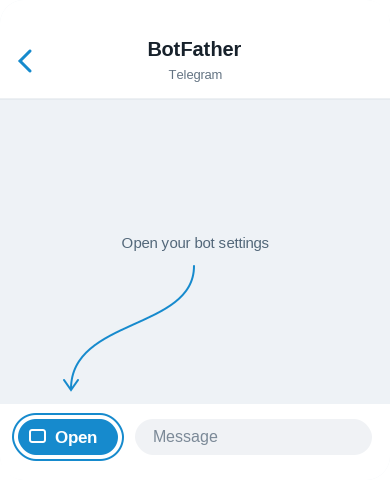
Open @BotFather in Telegram, then tap Open at the bottom left to see your bots.
2. Choose your bot
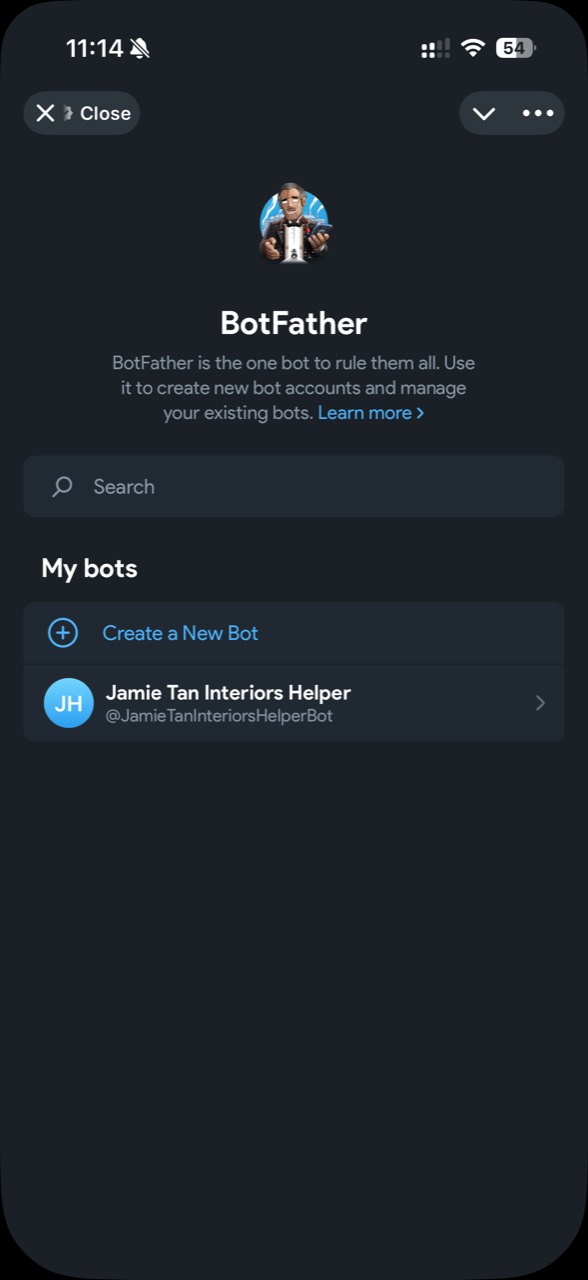
Under My bots, tap the bot you connected to Crumbs. Match its @username with the one shown in your Crumbs setup.
3. Turn Group Privacy off
Scroll to Groups and Channels. Leave Allow Groups on and turn Group Privacy off. Leave Group Admin Rights unchanged.
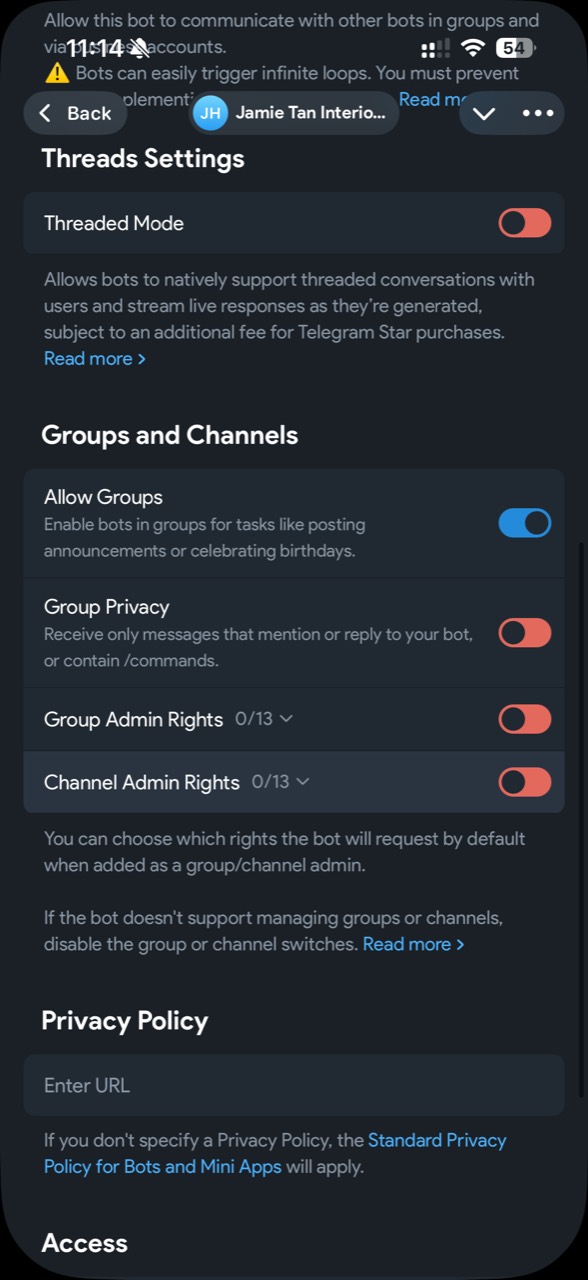
This setting applies to every group this bot joins. It lets the bot receive ordinary group messages, not just commands, mentions, and replies.
4. Return to Crumbs
Crumbs checks the setting when you return. You can also tap Check privacy. Once you see Ready for group conversations, tap Add to an existing group and choose your project group.
For a new project group, create the group in Telegram first, add your bot by its exact username, then send a project update and return to Crumbs.
Is the bot already in your group?
Remove the bot from that group and add it again after changing privacy. You may need a group administrator to help.
Send a new message without tagging or replying to the bot, then check that it appears in the Crumbs conversation. Receiving the message does not necessarily mean the agent will reply; that depends on its configuration.
Need help?
- Can’t find your bot? Switch to the Telegram account that owns it.
- Don’t see Open? Send
/mybotsto BotFather, select your bot, then choose Bot Settings → Group Privacy → Turn off. The final button may be labelled Disable. - Crumbs still says privacy is on? Confirm you changed the right bot, then tap Check privacy again.
- Privacy is off but messages are missing? Remove and re-add the bot, then send a new ordinary message. Earlier messages are not a delivery test.
Step 1 is a simplified illustration. The screenshots show an example bot on iPhone. Telegram’s layout may vary by device and version.